
 Chrome
 Firefox
 Edge
Edge
How I Download Audiobooks in One Click
I’ve always loved audiobooks. Not just the polished ones from big publishers, but also those created by small communities-people who record their voices at home and share their work out of pure love for books. Listening to the same story told by different readers feels magical to me. Each voice changes the rhythm, the emotion, even the meaning. A calm narrator lets me notice the poetry in the sentences, while a passionate one makes me feel every turn of the story. It’s like hearing an old friend tell a familiar tale in a new way.
But collecting these audiobooks isn’t as easy as it sounds. Many creators upload their recordings in strange, scattered places-old hosting sites, forgotten cloud drives, or private links buried in online forums. To make it even harder, they often divide the audiobook into dozens of separate chapter files. What should be a cozy evening with tea and headphones turns into a scavenger hunt across the internet.
I’ve tried many shortcuts. Once, I opened every link in new tabs and clicked “Download” one by one. That ended with my browser frozen and my patience gone. Another time, I found an online “multi-download” tool, but it wanted access to my account. I wasn’t ready to hand over my passwords to a mystery site. Then I tried a small browser script that promised to grab all links automatically-it worked for two minutes, then stopped halfway through the book. After all that, I was still missing chapters, and I only noticed when the story stopped mid-sentence.
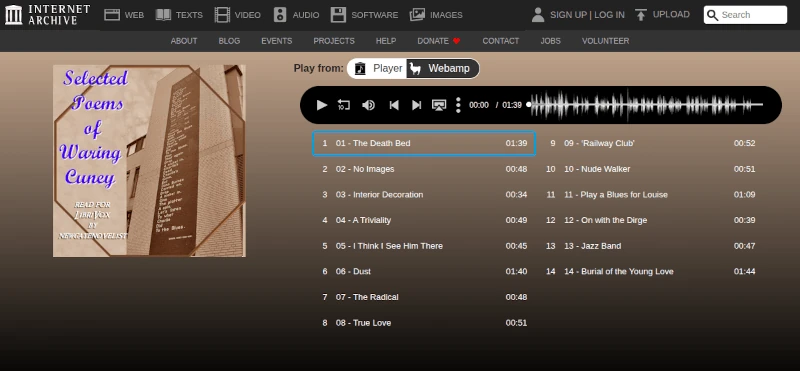
Since I use Firefox most of the time, I decided to explore their addons and found something called “Download All Files.”. The concept is refreshingly simple: it scans a webpage, lists the available files, and lets me choose which ones to download in bulk. With one click, it gathers everything neatly, saving both time and nerves. What I like most is that it works only when I open it-no background activity, no hidden tracking, just a straightforward tool that does its job.
It’s not perfect, of course. Sometimes it lists extra files I don’t need-images, small scripts, or random icons. But I can easily uncheck those and keep only the chapters I want. I do wish it offered a few more features, like sorting the list by name or filtering by file type. Still, even as it is, it’s been a quiet lifesaver. What once took half an hour now takes a few clicks, and I can return to what matters-listening to voices that bring stories to life.
Now, when I find a new audiobook online, I don’t dread the download. I open “Download All Files,” select the chapters, and sit back while it does the work. Soon I’m lost again in the story, carried by a new voice, hearing an old favorite in a new light.
I’d love to know-do you prefer audiobooks of modern novels or classics? Which stories sound best when someone reads them aloud to you?