
 Chrome
 Firefox
 Edge
Edge
Find links without extensions
I want to walk you through a feature I have come to depend on, because it solves a problem that used to leave me completely stuck.
The links that told me nothing
Most of the time, files on a website are easy to spot. A link ends in .pdf or .jpg or .csv, and any decent tool can pick it out. Download All Files scans the page, lists what it finds, and I download the lot in a couple of clicks.
But now and then I hit a page that plays by different rules. The links look like ordinary web addresses, just a path with a string of numbers or letters and no extension at all. There is no .pdf on the end, no hint of what sits behind them. To a normal download tool, those links look like regular pages, not files worth grabbing. So they get skipped, and my list comes back empty even though I can clearly see documents on the screen.
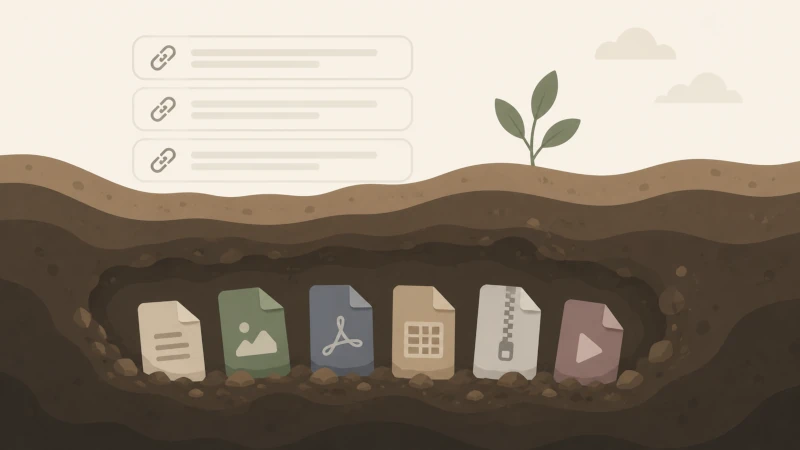
Why this happens
The reason is something called files generated on demand. The document does not sit ready on a server waiting to be found. It gets created the moment you click the link. Until then, there is nothing with a filename or extension to detect. The link is more like a request that says make me this file, rather than a pointer to a file that already exists.
This is common on billing portals, report systems, and any site that builds documents from a database. It is also exactly the situation where bulk downloading would help most, and exactly where most tools give up.
What Deep Search does about it
This is where Deep Search comes in. Instead of only reading the obvious file links, it looks harder. You open the extension on the page, click Deep Search, and it checks every link to see whether a real file waits behind it. The links that turn out to be documents, images, or spreadsheets get pulled into your list, even when the link itself gave no clue.
I still remember the first time I tried it. I was on one of those stubborn portals, staring at files I could open one by one but not save in bulk. I ran Deep Search, waited a moment, and there they were, every file lined up and ready to download together. The task that would have eaten my afternoon was done in under a minute.
Safe because it stays on your computer
The part that matters most to me is how it works. Deep Search runs locally, right on my own machine. Nothing gets sent off to some outside server to be checked. When the files are private, and in my work they often are, that is not a small detail. I would never want sensitive records passing through a third party just so a tool can figure out what they are. With Deep Search I do not have to worry about that, and since the extension only runs when I open it, there is no background activity going on behind my back.
A couple of honest notes
Deep Search is thorough, so it takes a little longer than a normal scan. It has to check each link one at a time, which makes sense given the work it is doing. On a page with many links, I give it a moment. For me the trade is easy. A short wait beats an hour of clicking.
I also like that the basic version is free, so you can try it without paying for anything.
I do not need Deep Search on every page. A regular scan handles most sites just fine. But for those pages where the links look like gibberish and nothing shows up, it is the feature that gets me unstuck.