
 Chrome
 Firefox
 Edge
Edge
A Faster Method to Download Research PDFs
I remember meeting a researcher who carried a quiet confidence that made me think she had everything under control. Her desk, though, told a different story. Piles of printed papers, notes tucked into books, and a browser with more open tabs than I could count. She laughed when I pointed at the screen and said, “This is my daily marathon.”
She explained how her work depended on gathering studies from many sources. Some came from university archives, others from public databases, and many from smaller community sites. Every place looked different. Some showed long lists of files with no way to save them together. She clicked one file, waited, clicked the next, waited again, and repeated this move hundreds of times. She told me it was not the hard work that tired her. It was the dull, slow clicking that drained her day.
She said that on some days she needed two or three papers. On others she needed fifty or more. During a long research season she could cross a hundred files in a week. She joked that she had become an expert in spotting tiny download icons. It sounded funny, but I could see the strain behind the smile. The work that mattered was buried under a mountain of small tasks.
One afternoon she was venting about it to a friend over coffee. He listened for a moment and then asked if she used browser extensions. She had never thought about them. She used her browser as it came out of the box and never explored tools that might help her. He suggested trying some extensions that could make downloading easier. It felt like a new world to her, but she was willing to try.
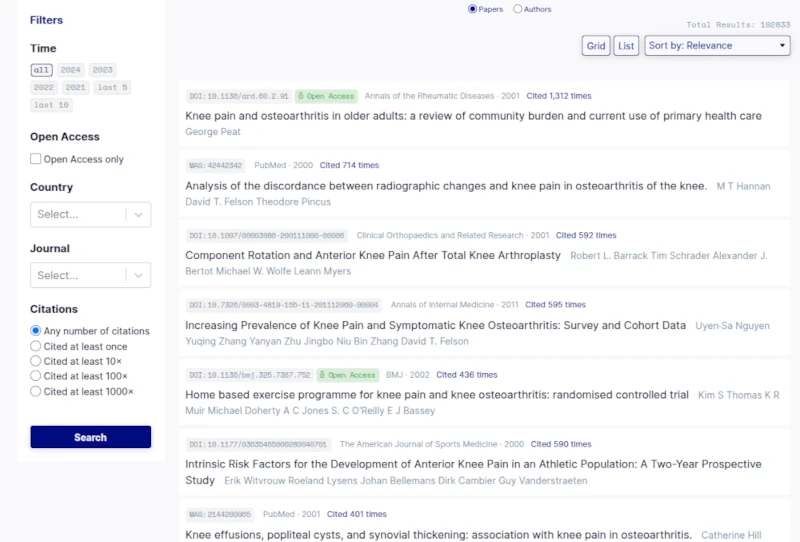
She tested a few options, but most were clumsy or confusing. Some tried to do too much while others did not work on the sites she needed. Then she found one that changed her whole routine. It was called “Download All Files,” available on Chrome and Firefox. She liked that it was simple. When she opened the extension, it looked through the page and showed every file it found. She could select the list and save everything at once. No more puzzles. No more digging for hidden buttons. It worked only when she opened it, so she felt safe using it.
She told me the first time she used it she saved twenty papers in one move. She sat back and stared at the screen in surprise. What used to take an hour took a minute. She said she felt foolish for not finding this earlier, but I reminded her that tools only help us when we discover them. We all have our blind spots. The important part is being open to small changes.
Since then, she has been sharing the extension with her research group. She said the whole team works faster now. Their meetings no longer start with complaints about downloads. They spend more time talking about ideas and less time talking about chores. I loved that.
Her story made me think about my own habits. Many times I have pushed through a slow task without asking if there was a better way. It is easy to accept small frustrations as part of the job, but they add up. When we remove them, even with simple tools, the day feels lighter.
Extensions can help in almost every part of online work. Some keep notes, some manage tabs, some protect privacy, and some, like “Download All Files,” clear away repetitive tasks. It is worth taking a moment now and then to explore what is out there.
We often look for big solutions to big problems, but sometimes the small helpers make the greatest difference. If you feel stuck in a cycle of dull clicking or slow searching, it might be time to give your browser a little upgrade. It changed her day. It might change yours too.